Home      Screenshots      Features      Download      Purchase      Support      About


Vidigger Screenshots

 
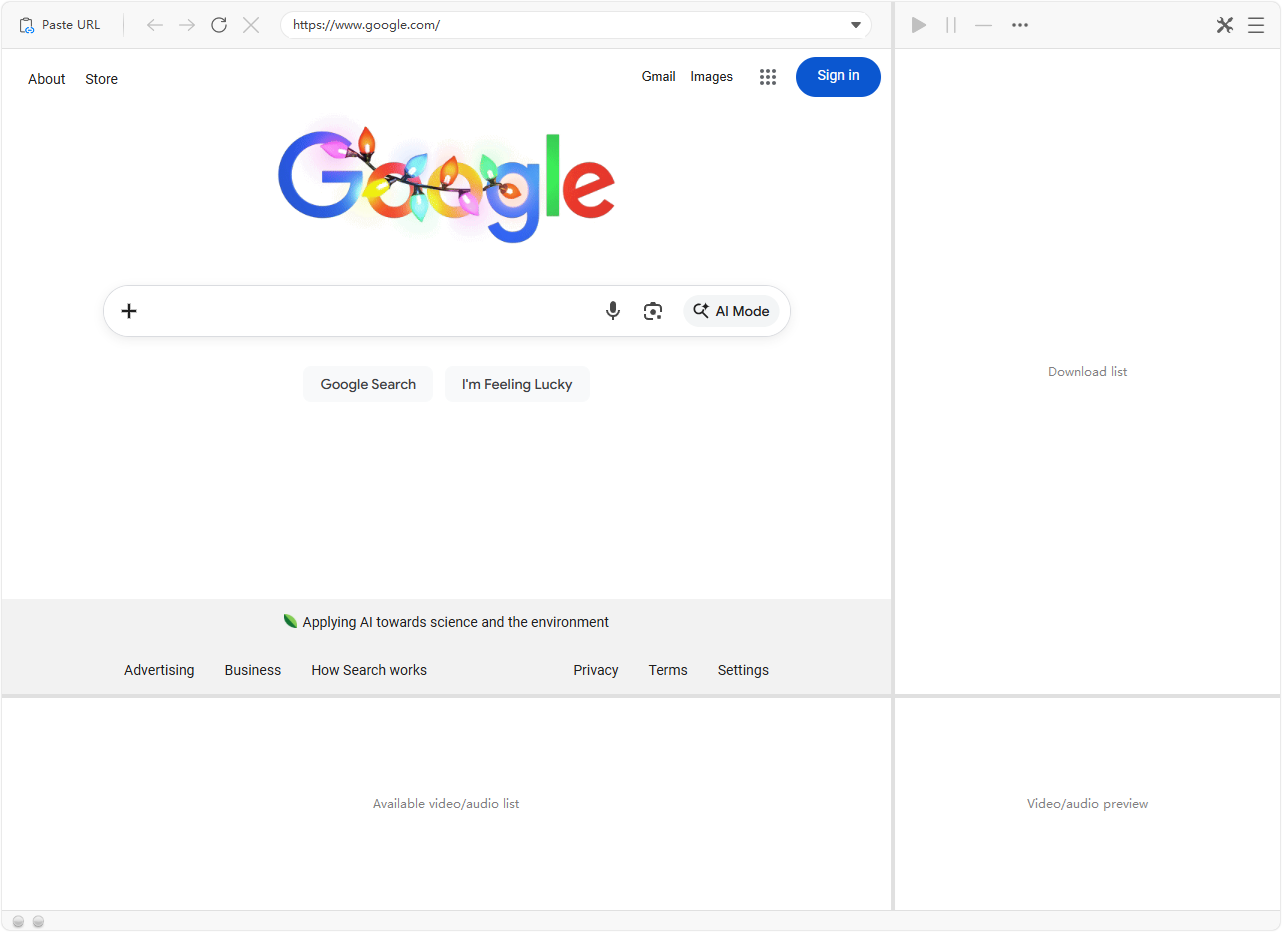
Main window
  Click the 'Paste URL' button to paste and open the web page of the video you want to download, and Vidigger will capture the embedded videos on the page.


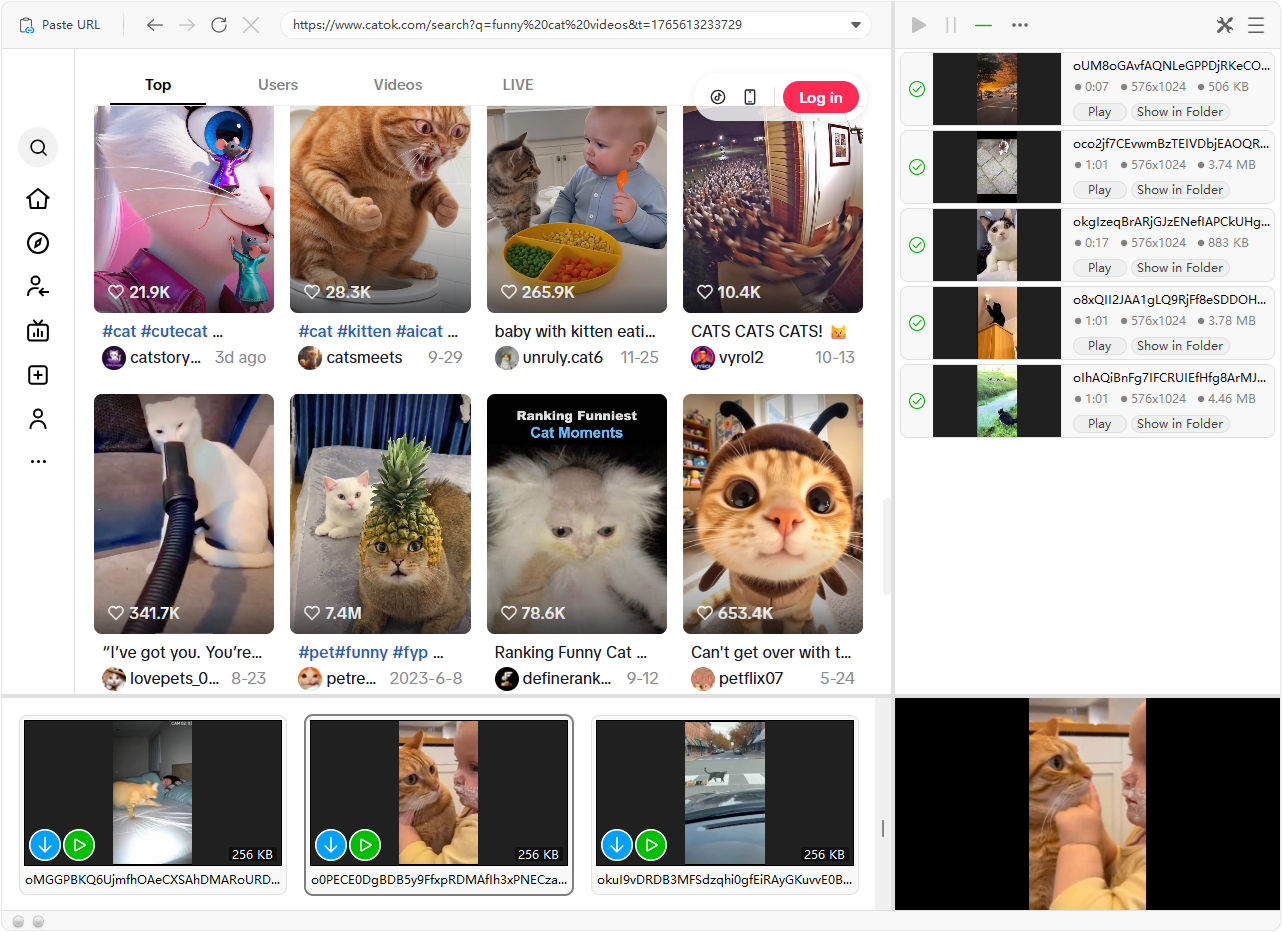
Captured video list
  Captured videos will be displayed in the bottom panel. You can click on an item or the green icon to preview the video.


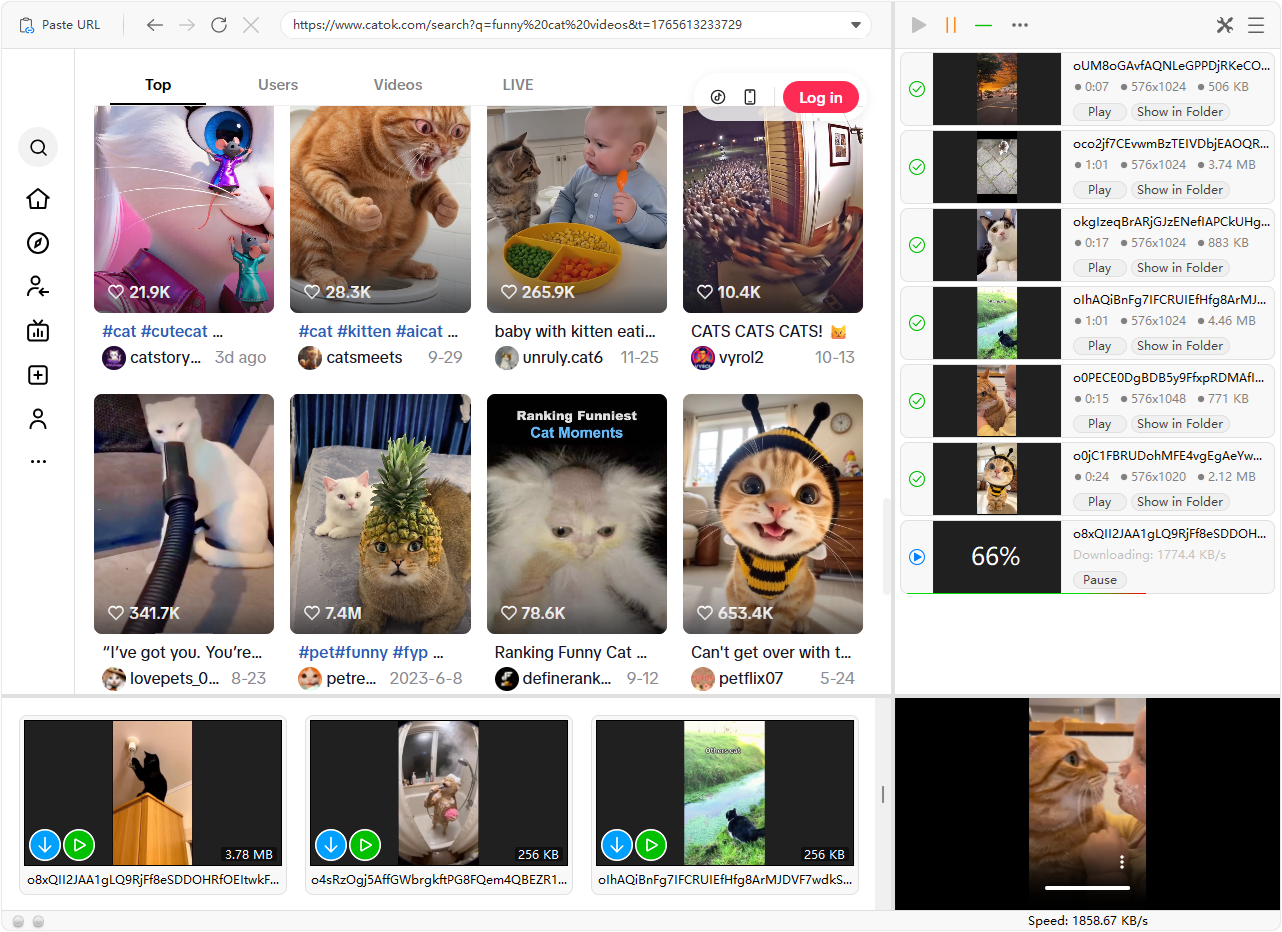
Download task list
  The download task list is displayed in the right panel. You can pause, resume, or cancel downloads at any time. You can also play the downloaded videos by clicking the 'Play' button, or open the storage location by clicking the 'Show in Folder' button.


©2003-2026 Vidigger

Our software is for downloading videos that are copyright-free, or for fair-use purposes. We do not condone downloading copyrighted material unless you (a) are the content owner, (b) have obtained consent from the content owner, or (c) plan to use the materials for fair use only. For more information, please read Terms of Use.